
FileWays – Best for Secure, Simple, and Affordable Computer Backup
Why it’s ideal for backup:
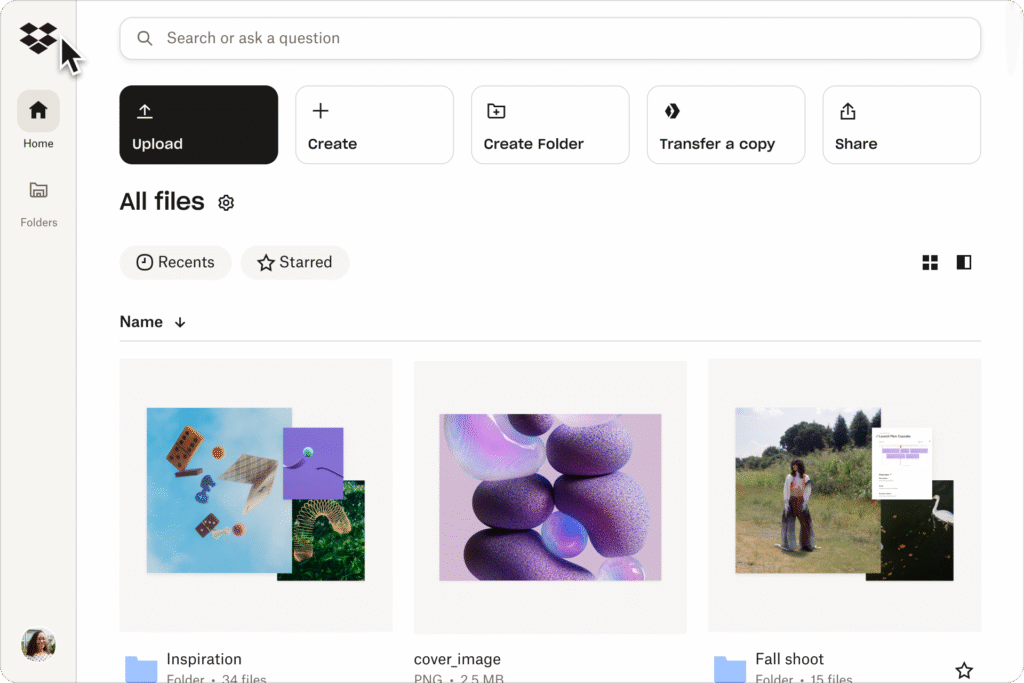
While FileWays is known for file sharing, its desktop apps (Windows & Mac) support automatic folder sync and versioning, making it a powerful, privacy-focused backup tool for individuals and small businesses.
✅ Key Backup Features:
- Automatic sync: Select any folder (e.g., Documents, Photos, Projects) to back up in real time
- File versioning: Keep 30+ days of deleted or edited files (restore previous versions anytime)
- End-to-end encryption: Your backed-up data is unreadable to anyone but you
- 100GB for $49/year (2TB for $199/year)—excellent value vs. dedicated backup services
- Bandwidth-efficient: Only changed parts of files are uploaded (delta sync)
- Works offline: Changes sync automatically when you’re back online
- No data mining: Unlike Google or Microsoft, FileWays doesn’t scan your files
Best for:
- Backing up documents, photos, projects, and media libraries
- Freelancers, students, and remote workers needing secure, cross-device backup
- Users who want manual control over what gets backed up (not full-system imaging)
💡 FileWays isn’t a full-system backup tool like Time Machine—but for 90% of users, folder-level backup of key data is faster, safer, and more practical.
Backblaze Personal Backup – Best for Full-System, “Set-and-Forget” Backup
Pros:
- Unlimited backup for one computer ($9/month or $99/year)
- Full-system backup: Restores your entire drive, including OS and apps
- Automatic, continuous, and silent—no user intervention needed
- Strong encryption (with optional private key)
- Fast restore options: Download files online or get a hard drive shipped
Cons:
- ❌ No selective folder sharing—it’s backup-only, not a file-sharing platform
- ❌ No mobile app—can’t access backed-up files easily on phone
- ❌ One computer per plan (family plans cost extra)
Best if: You want true “disaster recovery”—like if your laptop is stolen or hard drive dies.
iCloud Drive + Time Machine (Mac) or OneDrive (Windows) – Built-In but Limited
For Mac Users:
- Time Machine (to external drive) + iCloud Drive (for key documents)
- iCloud backs up only selected folders—not your whole system
- 5GB free, then $36/year for 100GB
For Windows Users:
- OneDrive offers file backup (Desktop, Documents, Pictures)
- Includes file versioning and ransomware recovery
- 5GB free, then $72/year for standalone 100GB
Limitations:
- ❌ No end-to-end encryption (Microsoft/Apple can access files)
- ❌ Limited version history (30 days max on consumer plans)
- ❌ Tied to ecosystem—hard to restore on non-Apple/Windows devices
Other Options – Niche or Overpriced:
| Service | Verdict |
|---|---|
| Google Drive for Desktop | Syncs files, but not true backup—deletions sync instantly (no version safety) |
| Dropbox Backup | Only backs up Desktop/Documents; $16.58/month for 3TB—expensive |
| IDrive | Good value ($90/year for 10TB), but clunky interface and mixed privacy reviews |
| Acronis Cyber Protect | Powerful for tech-savvy users, but overkill for most |
What Kind of Backup Do You Need?
| Backup Goal | Best Choice |
|---|---|
| Protect documents, photos, projects | FileWays (secure, shareable, affordable) |
| Full system recovery (entire computer) | Backblaze (Mac/Windows) |
| Simple folder backup on Windows | OneDrive (if you trust Microsoft) |
| Mac-only key file backup | iCloud Drive |
| Long-term archive with sharing | FileWays |
Pro Tip: Use a Hybrid Strategy (Recommended)
- Primary backup: Use FileWays to back up your most important folders (Documents, Photos, Clients) → secure, accessible, shareable.
- Disaster recovery: Use Backblaze (or Time Machine + external drive) for full-system restore if your computer dies.
This gives you fast access to current files + complete peace of mind.
Final Verdict:
For most individuals and small businesses in 2025, FileWays is the best cloud storage to back up your computer—if you’re backing up essential files and folders (not the entire OS).
It’s secure, affordable, cross-platform, and lets you access or share backed-up files from anywhere—unlike pure backup tools like Backblaze.
👉 Start with 5GB free on FileWays. Upgrade to 100GB for $49/year to protect your most important data.
Back up smarter. Recover faster. Stay in control.